Assign roles and tasks
Make someone an admin or coach, or give a member one extra task without making them an admin. Owners and admins can do this.
Change the role
- In the admin, open Members and click the person.
- Click Edit role / status.
- Choose the Role: Member, Coach or Admin.
- Click Save.
What each role can do:
- Admin: everything in the club, except changing the owner.
- Coach: the teams they coach (events, squad, attendance, live games, team announcements). Assign the teams under Teams coached on the same page.
- Member: the app for themselves (and their children).
- Owner: like an admin, and can hand over ownership (Set up your club). There is one owner per club.
- Fan: people who follow the club; they don't appear here as members.
Give one task
Under Permissions on the person's page:
- Branding and Website: change the club's look, or edit and publish the public website.
- Under Extra tasks:
- Join requests: accept or decline people who ask to join.
- Media and consents: see the do-not-publish list with photos.
- Finance: see tiers and subscriptions (read only).
- Club-wide announcements: post news to the whole club.
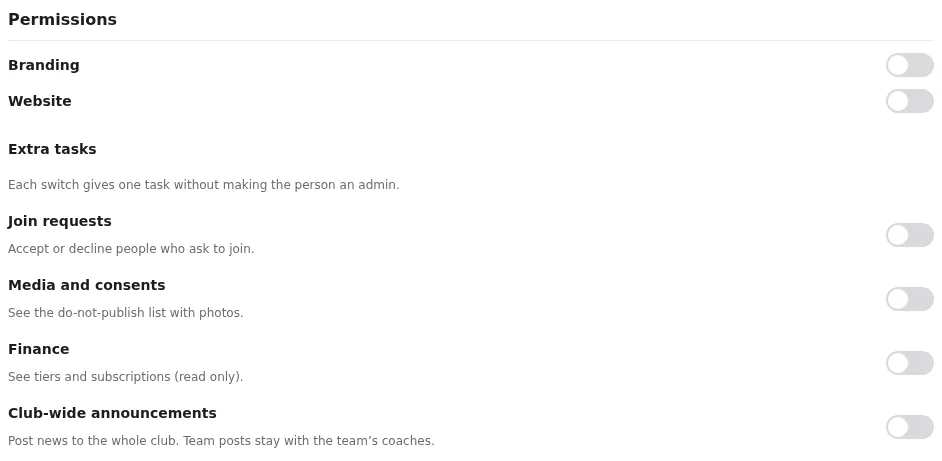
A member with one of the extra tasks gets the admin with only that page. Branding and Website work differently: a coach with Branding finds it in the admin; a member uses More → Club branding and More → Website in the app. The website is edited in the app for everyone (Edit and publish pages). Tasks can't be given to members under 18, to fans or to the owner.