Give consent for your child
Decide where photos of your child may appear. Only guardians can do this for a child; club staff can see your choices but never change them.
- Open More → Family, tap your child and then Photos & publication. Home also shows "Photo choices for …" until everything is decided; tap Set …'s photo choices.
- Under Internal, switch on what you allow:
- Clubkit App: teammates and their families see your child's photo in the app.
- Club Website: team photos and match reports on the club's public website.
- Under External, switch Facebook, Instagram and Press on or off.
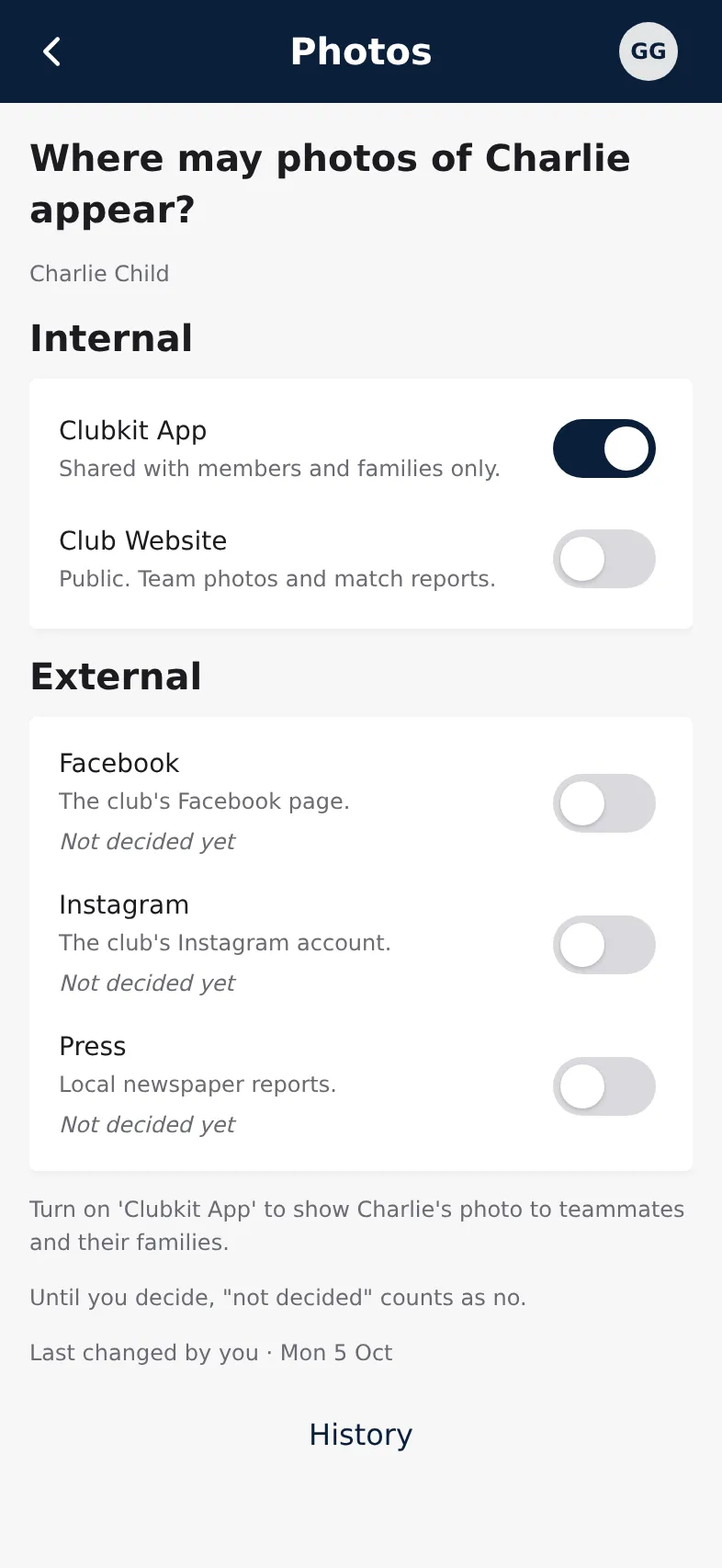
Each switch saves at once. Not decided yet counts as no until you choose.
Good to know
- With two guardians, the latest choice counts. The other guardian gets a notification when you change something.
- History shows every change, who made it and when.
- The club's media helpers see a "Do not publish" list. Your child is on it for every channel you haven't allowed, and a withdrawal shows there straight away.
- After the handover your child makes these choices. You still see them but can't change them, until your child turns 18.