Edit and publish pages
Write your website's home page and put it online. Owners, admins and members with the Website permission can do this, once the website is turned on.
- In the app, open More → Website.
- Tap Add section and choose its type:
- Hero: the big band at the top, with a title, a subtitle and an image.
- Text: a title and body text. Leave a blank line to start a new paragraph.
- Gallery: a title and images, each with a caption.
- Fill in the section and tap Save.
- Use the arrows to change the order of the sections, or the bin to delete one.
- Tap Preview to see how it looks.
- Tap Publish.
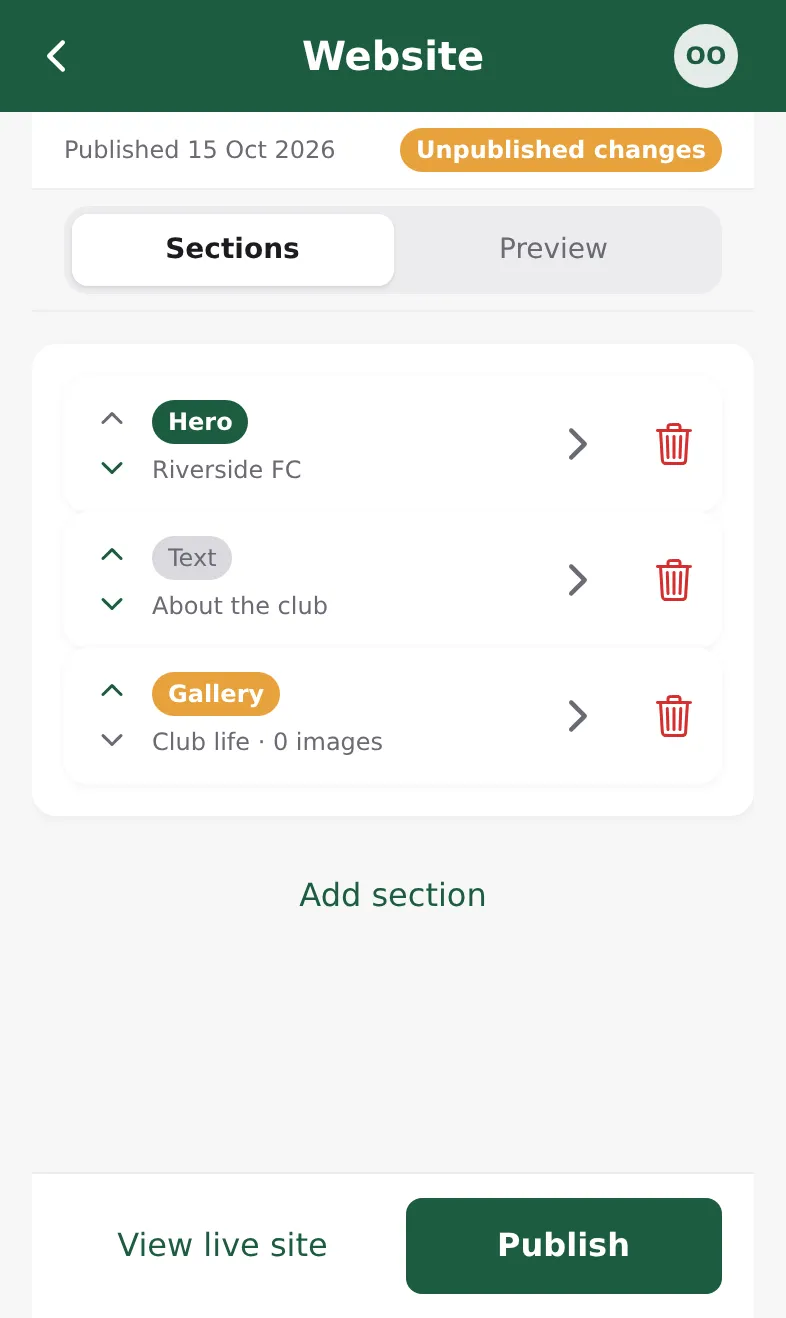
Your changes only go online when you tap Publish. Until then the editor shows Unpublished changes. Tap View live site to open the public website.
Images are picked from your phone, so add them in the installed app, not in the browser. Empty galleries are hidden on the public site.