Choose your notifications
Decide which push notifications and emails you get from your club. Every member can do this, separately for each club.
- Open More → Notifications.
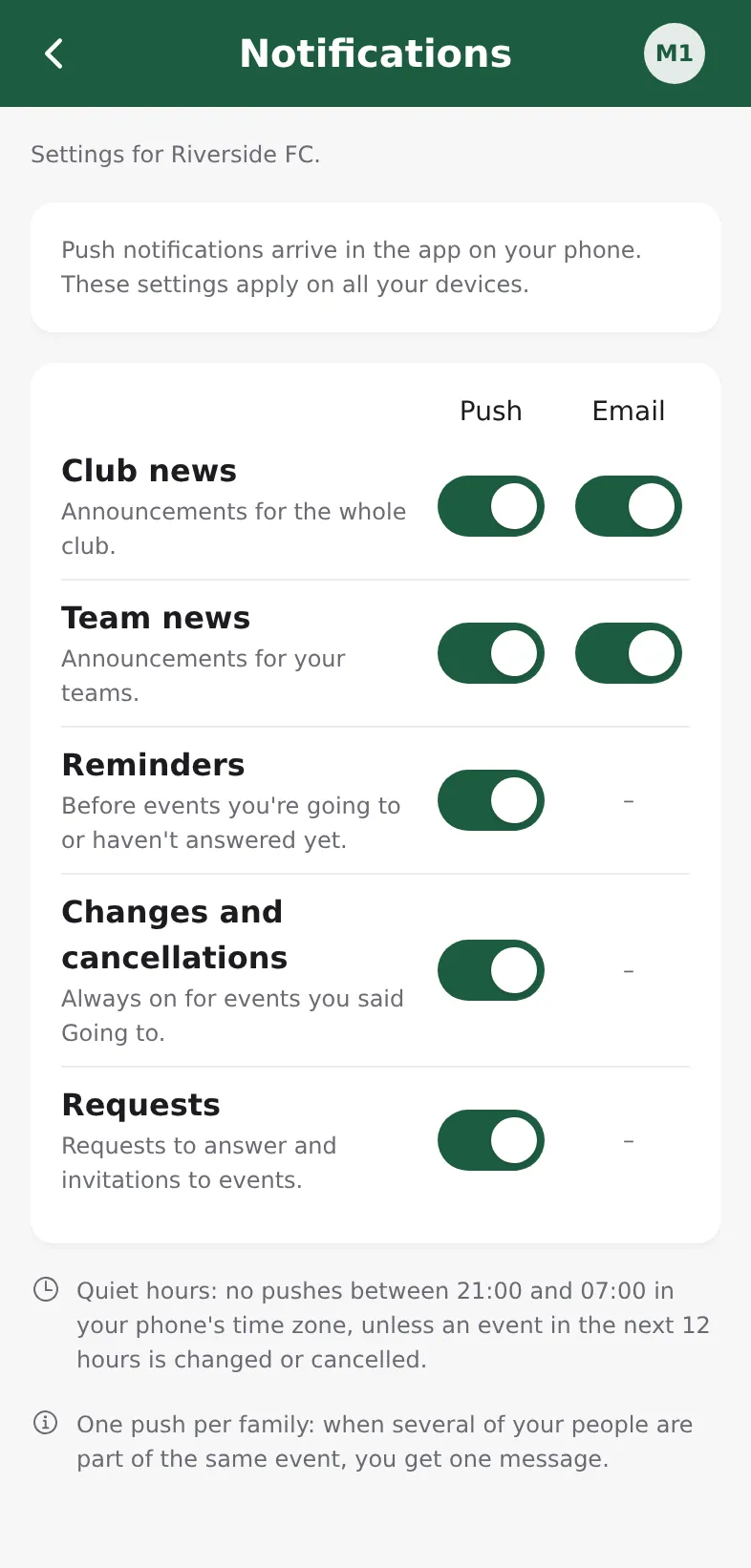
- For each row, switch Push and Email on or off:
- Club news: announcements for the whole club.
- Team news: announcements for your teams.
- Reminders: before events you're going to or haven't answered yet (push only).
- Changes and cancellations: an event you're part of moved or was cancelled (push only).
- Requests: requests to answer and invitations to events (push only).
- Coaches and admins also see Staff to-dos: weekly email, a Monday-morning summary of what their teams still need.
Your choices apply on all your devices. Pushes only arrive in the installed app; if push is off on your phone, the screen shows Turn on push notifications.
Quiet hours
Between 21:00 and 07:00 in your phone's time zone you get no pushes. The exception: an event in the next 12 hours is changed or cancelled.
Changes and cancellations always reach you for events you said Going to.
Parents
When several of your people are part of the same event, you get one message, not one per child.