Show fixtures, results and squads
Choose which teams appear on your public website. Their matches and squads then update on their own. Owners and admins can do this.
- In the admin, open Teams and click the team.
- Under Website, switch on Show on public website.
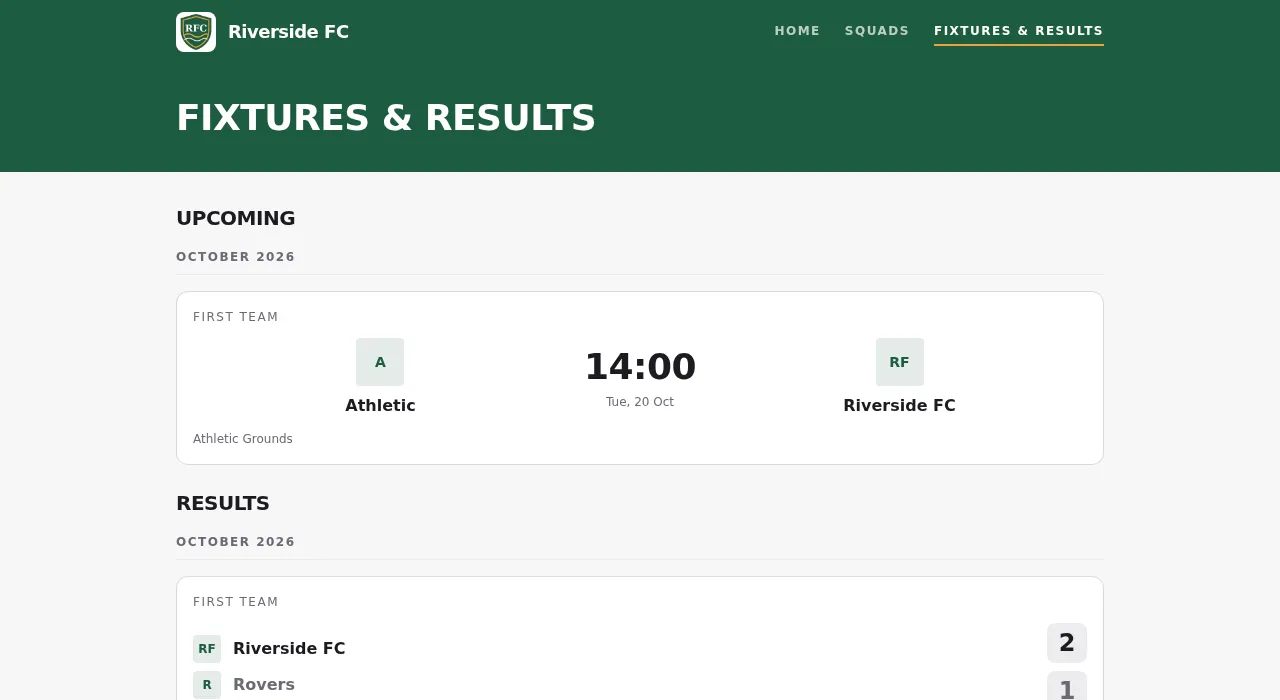
Fixtures & Results
The page lists the upcoming matches and the results of the teams you switched on, by month. A match being played shows its live score. Training sessions, social events, cancelled and invite-only events never appear.
Squads
Each team you switched on shows its players with photo, name, jersey number and position. A player appears only when:
- they allowed Club Website under photos (Decide how your photos are used), or, for under-18s, their guardian did, and
- their membership is active.
Everyone else is left out. When someone withdraws their consent, they disappear from the website within a minute. The position is the one set in the squad, or else the player's primary position from their profile.
Keep youth teams switched off if you don't want them on the website at all.