Message your team
Post an announcement to one team or the whole club, with a push notification and an email. Coaches can post to the teams they coach. Owners, admins and people with the Club-wide announcements task can post to the whole club.
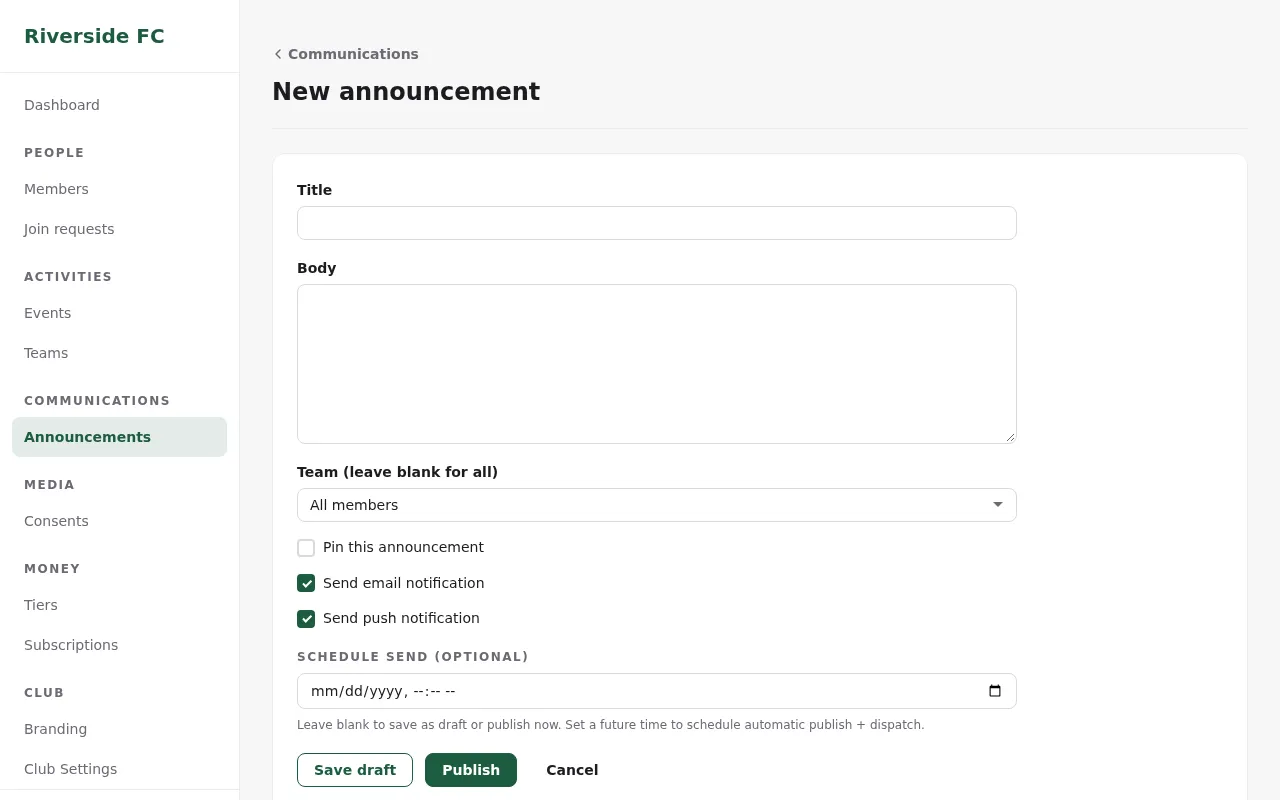
- In the admin, open Announcements and click New announcement.
- Enter a Title and the Body.
- Under Team, choose the team, or All members for the whole club.
- Tick Pin this announcement to keep it at the top of the news.
- Leave Send email notification and Send push notification ticked, or untick them.
- Click Publish. To send it later, set Schedule send and click Schedule. To come back to it, click Save draft.
Members read it under Home → News in the app. Each person gets the push and the email only if they switched them on in their notification settings. A team post reaches the team's players, its coaches and the players' guardians, and nobody else.
Change or delete a post
Open the post in Announcements. Drafts can still be edited. A published post can be removed with Delete post; it disappears for everyone. You can delete your own posts; owners and admins can delete any post.