See who is coming and take attendance
Check the answers for an event, remind people who haven't answered and record who actually came. Coaches can do this for their squads; owners and admins for every event.
See the answers
- Open the event in Schedule.
- Going (…) lists who's coming. For invite-only events, Invitees shows each person's answer, or No response.
- To remind everyone who hasn't answered, tap Request response. They get a push notification. If someone asked in the last hour, the app asks before sending again.
Your Home also has For your teams: for each upcoming event "… of … haven't answered", with Request response from … and, after the event, Take attendance. In the admin, the To do card on the Dashboard shows the same.
Players with away dates show an Away badge. For an event with several squads, the lists include the players of every squad.
Take attendance
- Open the event after it has started and scroll to Attendance.
- Tap a player to set Present, then Late, then Absent, then back to Not recorded.
- Tap Mark all going as present to record everyone who said Going in one go, then correct the exceptions.
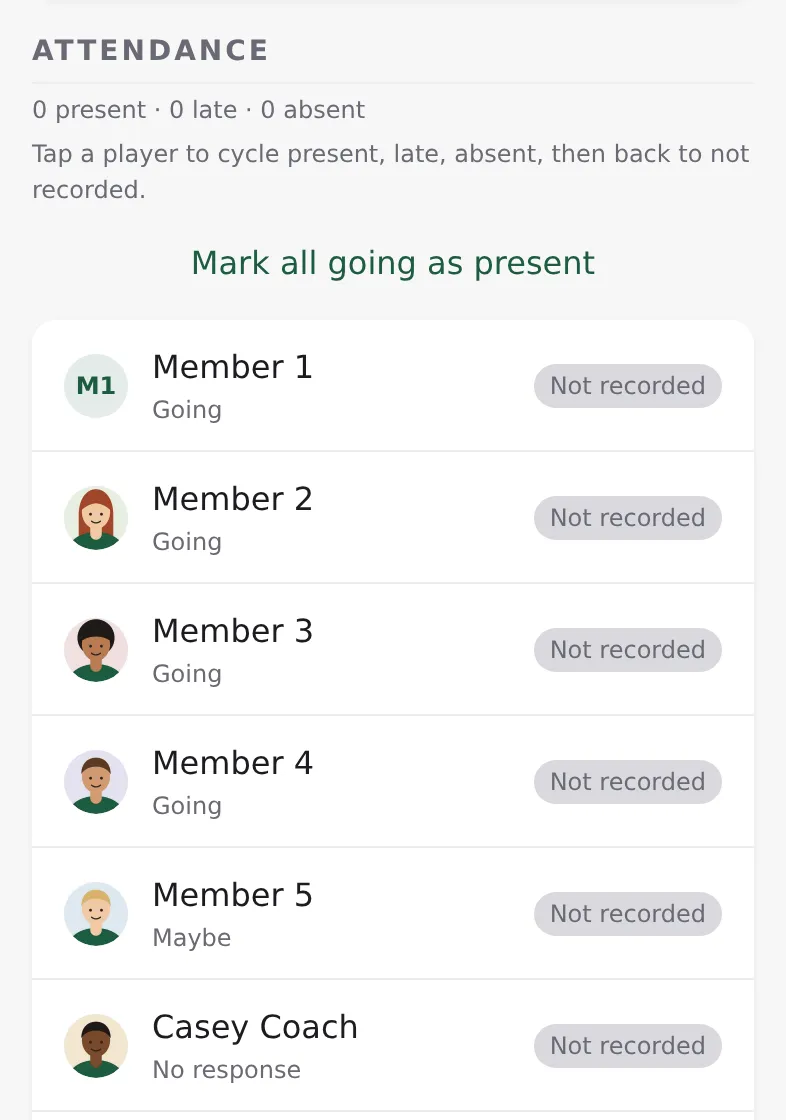
Each tap saves. The summary line counts present, late and absent.
Attendance can be changed for 14 days after the event. After that, ask an admin to correct it in the admin (Events → the event → Attendance). The admin's list has the players of every squad of the event; for an event for the whole club it lists every member except owners, admins and coaches.