Respond to events
Tell your coach whether you're coming to training, a match or a club event. Every member can do this.
- Open Home. Events waiting for your answer are at the top, under Needs your attention.
- Tap Going, Maybe or Can't go on the event.
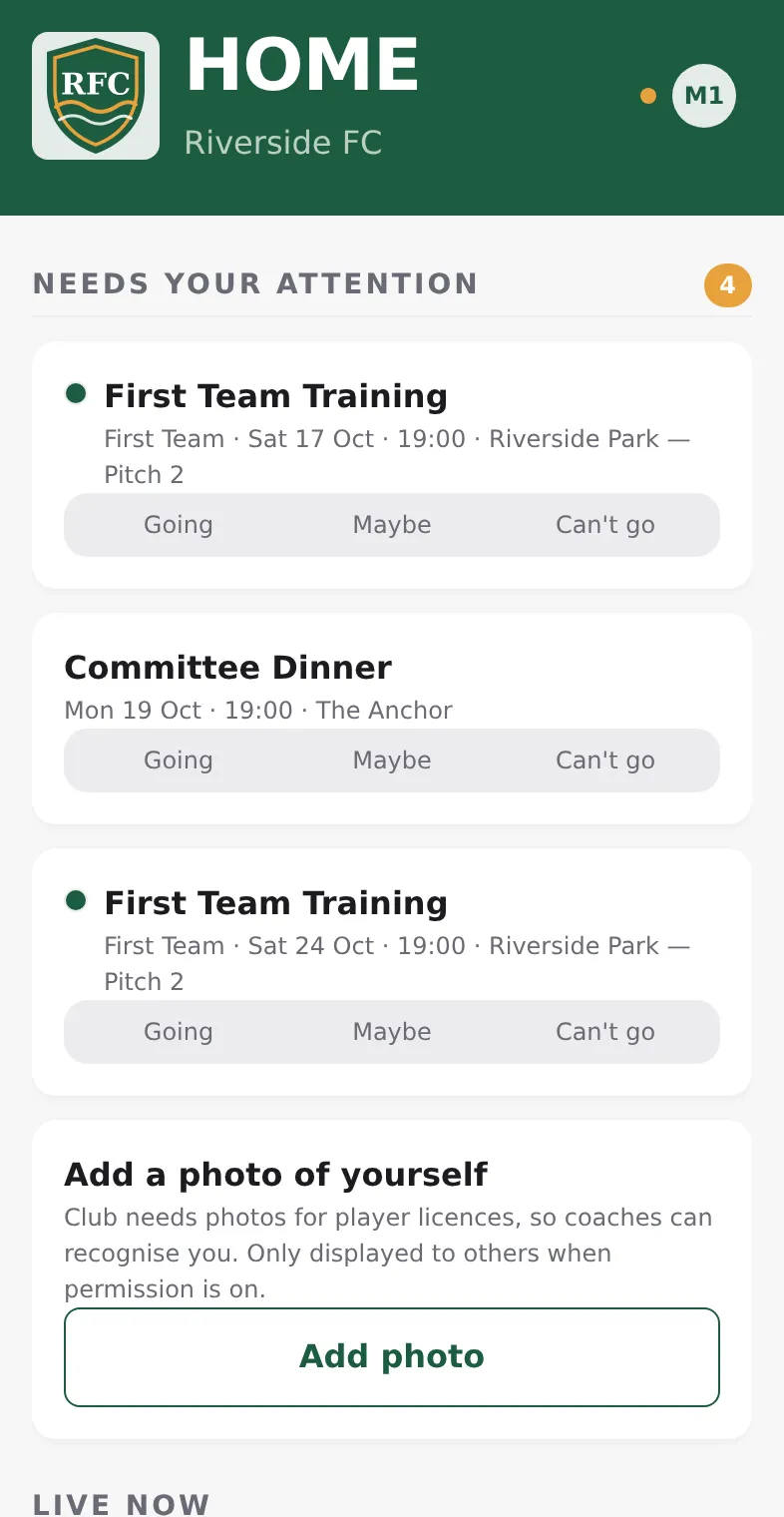
You can answer the same way on the Schedule tab, or open an event and use Your RSVP. Tap another answer at any time to change it.
What you see on an event
Open an event to see the date, time, place and, for a match, the opponent. Going (…) lists who said they're coming. The share button at the top sends a link to the event.
- Invite only events are for the people the club invited. Only they and the club's staff see them.
- Some events don't ask for answers, for example a club barbecue. They have no answer buttons.
- "Answer by …" shows the club's deadline for answering.
If your coach taps Request response, you get a reminder to answer. Answering removes the event from Needs your attention.
Next
- Set away dates for holidays or injuries.
- Check the schedule and results