Manage your squad
Add and remove players and set their jersey numbers and positions. Coaches can do this for the squads they coach; owners and admins for every squad.
In the app
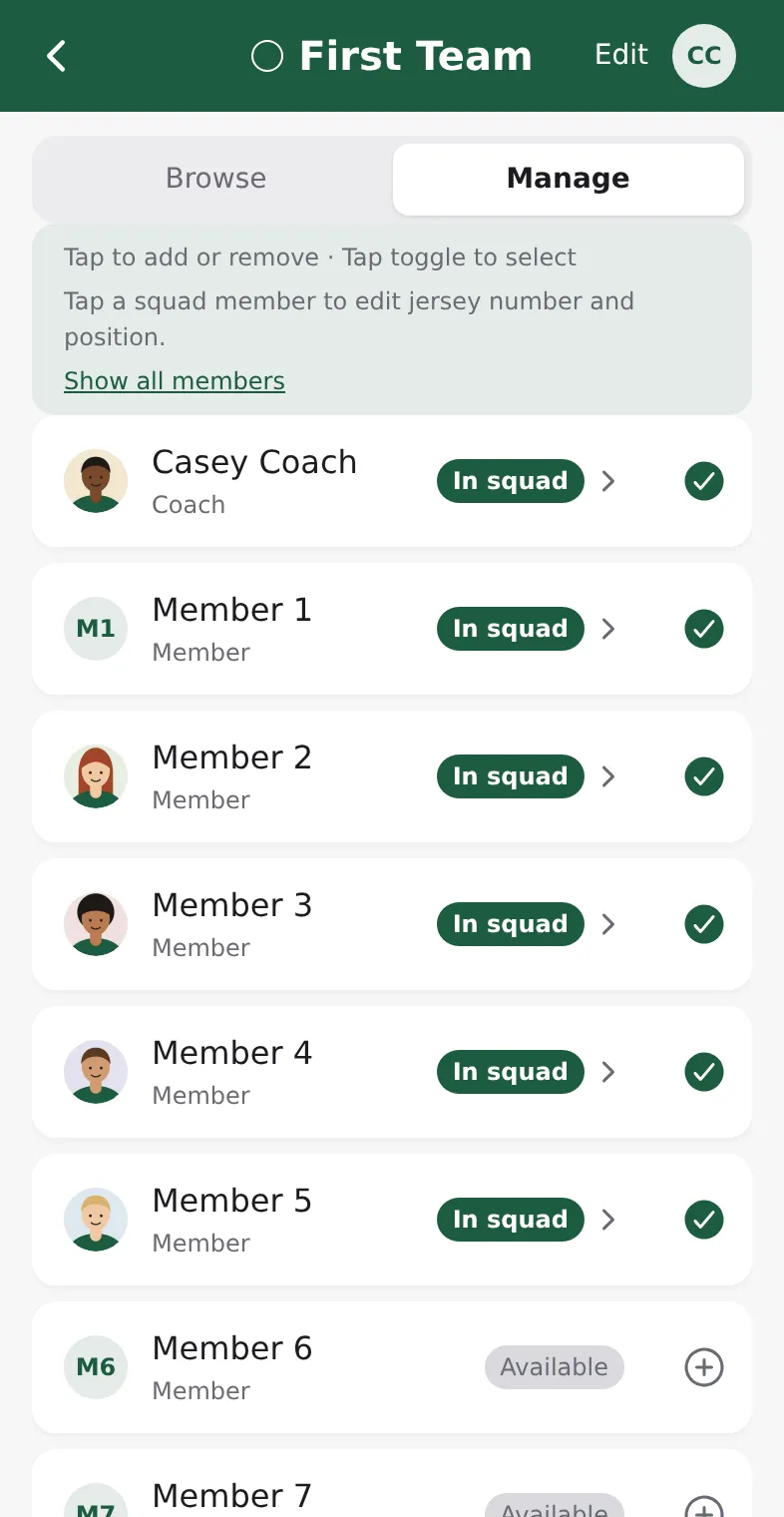
- Open the Team tab and tap the squad.
- Switch from Browse to Manage.
- Tap a person to add them to the squad or take them off it. In squad and Available show where each person stands.
- To see members outside the squad's age group, tap Show all members.
- To set a jersey number or position, tap the arrow next to a squad member.
- To rename the squad or change its colour, tap Edit at the top.
Browse shows the squad as the players see it: number, name and position. When a player has no position in the squad, their own primary position from their profile shows instead.
In the admin
- Open Teams and click the team.
- Under Players, click Add player, choose the Member and, if you like, a Team role such as Captain.
Pick the match-day lineup
- Open the match in Matches and tap Edit lineup.
- Tap players to include or exclude them from today's lineup. Add a position, jersey number or a support-staff role where needed.
- Tap Save lineup.